Flashforge CJ270: from digital design to a colour prototype
Judging a product design takes more than an image on a screen. How do the proportions feel when you hold the model? Does a colour split still work on a curved surface? And does a graphic detail remain visible at the final size?
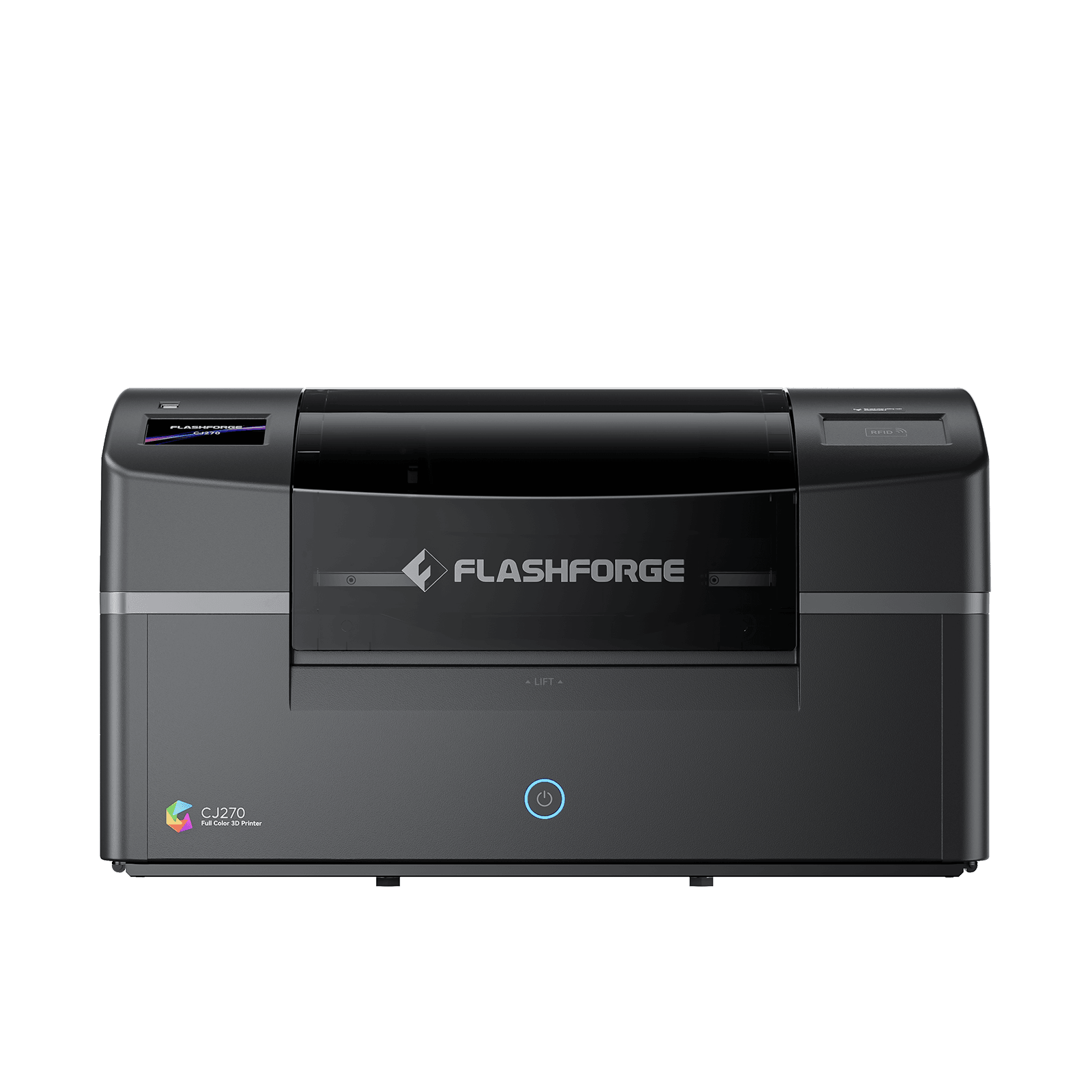
With the Flashforge CJ270, full-colour 3D printing fits on the desk. The printer builds models in colour, so designers can assess form and appearance together. That matters for companies that use physical models in design reviews, client presentations and product development.
What is the Flashforge CJ270?
The CJ270 is a full-colour 3D printer that uses UV-curing resin. Flashforge calls the process Multi Jet Printing, or MJP. Printheads deposit small droplets of material, a planarizer levels the layer, and UV light cures it.
The system uses cyan, magenta, yellow, black, white and clear material, plus water-soluble support. According to Flashforge, that enables more than ten million colours.
Key specifications according to Flashforge’s official product information:
| Property | Specification |
|---|---|
| Print technology | MJP with UV-curing resin |
| Build volume | 180 × 120 × 100 mm |
| Layer thickness | 7 µm |
| Printer dimensions | 697 × 410 × 405 mm |
| Weight | 33.5 kg |
Layer thickness describes the height of a printed layer. It is not a guarantee of 7 µm dimensional accuracy.
A possible application: reviewing colour variants of a product
Imagine a design studio developing a compact housing for a consumer product. The main form is set, but the colour split is still under discussion. Should the control surface contrast? Does a graphic pattern continue around the side? Which variant best matches the intended look?
A physical colour model can make that discussion more concrete. Participants view the same object from different angles and judge how form, colour and graphics interact.
One possible workflow has four steps:
- Define the design question. State what the model should help you judge, for example colour split, recognisability or logo position.
- Develop the variants digitally. Keep the geometry identical when you only want to compare colour differences.
- Make presentation models. Check in advance that the design fits the build volume and is suitable to print.
- Discuss and document the outcome. Record which choices were made and which questions need another design round.
This is an illustrative application example, not a completed 3D Innovate customer case.
The value of such a model sits in the design decision it supports. A team may find that a colour field is too dominant at full size, or that an important detail barely shows from a normal viewing angle. Those observations guide the next change.
From file to presentation model
Flashforge supplies ColorPrint for print preparation, including placement, colour settings and support. After printing, the support material must be removed; further finishing may be needed depending on the intended look. Full-colour printing does not remove every post-processing step. The manufacturer describes these steps on the CJ270 product page.
For a useful review, set acceptance criteria in advance. Must a logo be readable? Which surfaces matter most? Will the model be viewed up close or during a presentation at a distance?
If you want to judge a specific brand colour, first compare a test model with your reference under the intended lighting. A large number of possible colours does not, by itself, prove an exact colour match.
When is a full-colour prototype useful?
A colour model is most relevant when visual presentation is part of the design question: graphic placement, distinction between parts, or the look of different versions.
Technical validation still requires other properties. A presentation model does not prove how the final product behaves under load, heat or long-term use. Decide in advance which conclusions you want to draw from the prototype.
The economic case also starts with the application. Look at how many models you need, preparation time, material use, finishing and maintenance. Then compare the full workflow with your current approach.
What does this development mean for your company?
The CJ270 makes it relevant to revisit the role of colour in prototyping. When form and appearance must be judged together, a physical colour model can help discuss and record choices.
Start with one representative design and one clear question. That lets you judge whether print quality, finishing and required work match your expectations.
Would you like to discuss which 3D printing technology fits your application? Request personal advice from 3D Innovate. Describe what you want to make, which properties matter and how many models you expect to need.
Insights on wax printing, full-colour MJP, ceramic DLP and choosing the right 3D printing solution for your production.
Request advice